Pre-Storage Tips
- Plan your storage space.
- Place items you need to access in your vehicle first so they will be in the front of your storage unit.
- Allow room to walk between your items.
- Make an inventory of your stored items.
- Use the same size boxes for easy stacking, avoid putting too much in each box.
- List contents of each box and seal the boxes with tap and label them.
- Stack lighter boxed on top.
- Dishes and glasses should be wrapped in paper and stored on top.
- Place 2×4 boards on concrete for air movement around your items.
- Furniture with draws can be filled with dishes or other items.
- Pictures or mirrors should be packed in crates marked fragile and stacked on end.
- Drain all gas from lawn mowers, snow blowers, autos, boats, etc.
- Place frequently used items near the door.
- Move in heavy, bulky items first.
- Don’t store anything flammable or combustible, like gasoline, oil, cleaning fluids, paint or paint thinner.
- Don’t store food.
Keep your mattress and box spring free from dust, insects, rodents and moisture by sealing them in a mattress bag. We sell many types and sizes for your convenience.
We always advise checking with your device manufacturer recommendations prior to storing your electronic devices. Always allow your device a minimum of 24 hours to climatize prior to use after moving from storage.
With specially designed plastic cover, place a pallet or cardboard mat on the floor and stand sofas and matresses on end.
Heading
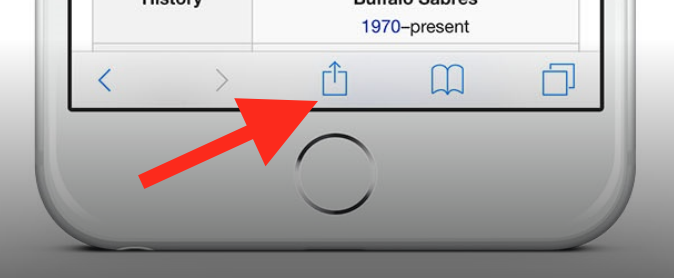
To add this web app to your homescreen, click on the "Share" icon
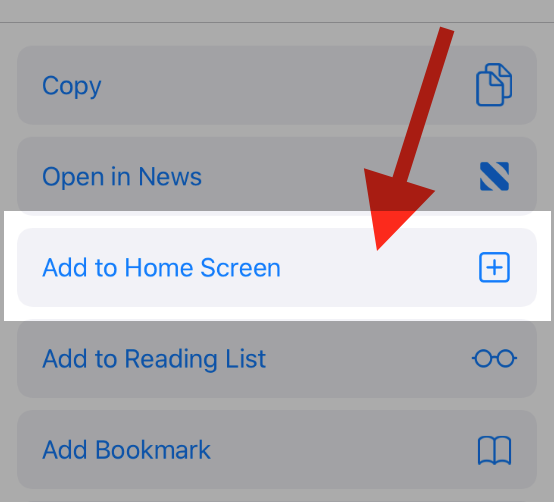
Then click on "Add to Home"
To add this web app to your homescreen, click on the "Share" icon
Then click on "Add to Home"
It looks like your browser doesn't natively support "Add To Homescreen", or you have disabled it (or maybe you have already added this web app to your applications?)
In any case, please check your browser options and information, thanks!
It looks like your browser doesn't natively support "Add To Homescreen", or you have disabled it (or maybe you have already added this web app to your applications?)
In any case, please check your browser options and information, thanks!
